Section 2.12 APIs
Application Programming Interfaces (APIs) are, in the most general sense, software that allow different web-based applications to communicate with one another over the Internet. Modern APIs conform to a number of standards. This means that many different applications are using the same approach, so a single package in R is able to take advantage of this and communicate with many different applications, as long as the application’s API adheres to this generally agreed upon set of "rules".
The R package that we’ll be using to acquire data and take advantage of this is called
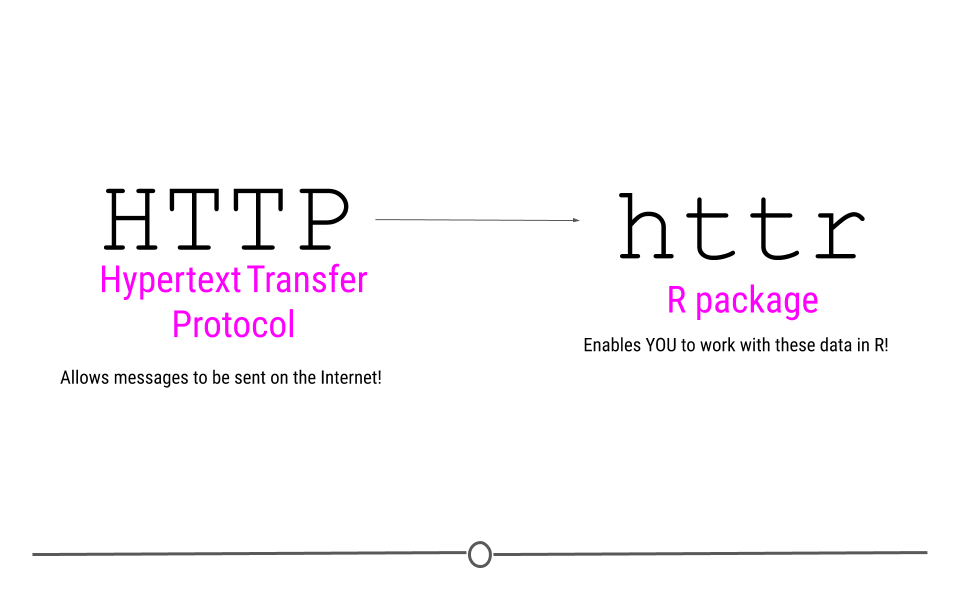
httr. This package name suggests that this is an "R" package for "HTTP". So, we know what R is, but what about HTTP?
You’ve probably seen HTTP before at the start of web addresses, (ie http://www.gmail.com), so you may have some intuition that HTTP has something to do with the Internet, which is absolutely correct! HTTP stands for Hypertext Transfer Protocol. In the broadest sense, HTTP transactions allow for messages to be sent between two points on the Internet. You, on your computer can request something from a web page, and the protocol (HTTP) allows you to connect with that webpage’s server, do something, and then return you whatever it is you asked for.
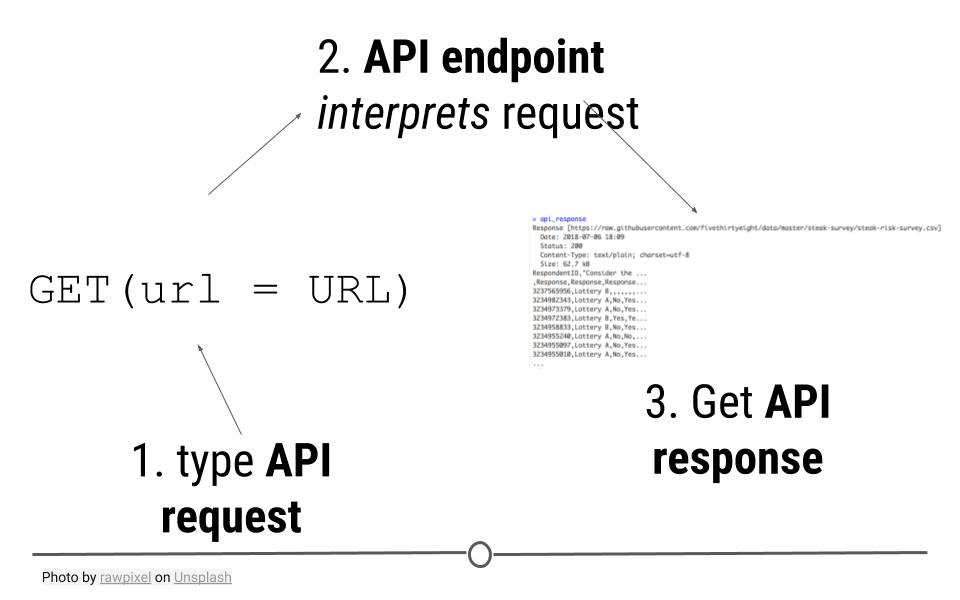
Working with a web API is similar to accessing a website in many ways. When you type a URL (ie www.google.com) into your browser, information is sent from your computer to your browser. Your browser then interprets what you’re asking for and displays the website you’ve requested. Web APIs work similarly. You request some information from the API and the API sends back a response.
The
httr package will help you carry out these types of requests within R. Let’s stop talking about it, and see an actual example!
Subsection 2.12.1 Getting Data: httr
HTTP is based on a number of important verbs :
GET(), HEAD(), PATCH(), PUT(), DELETE(), and POST(). For the purposes of retrieving data from the Internet, you may be able to guess which verb will be the most important for our purposes! GET() will allow us to fetch a resource that already exists. We’ll specify a URL to tell GET() where to go look for what we want. While we’ll only highlight GET() in this lesson, for full understanding of the many other HTTP verbs and capabilities of httr, refer to the additional resources provided at the end of this lesson.
GET() will access the API, provide the API with the necessary information to request the data we want, and retrieve some output.
Subsection 2.12.2 Example 1: GitHub’s API
The example is based on a wonderful blogpost from Tyler Clavelle. In this example, we’ll use will take advantage of GitHub’s API, because it’s accessible to anyone. Other APIs, while often freely-accessible, require credentials, called an API key. We’ll talk about those later, but let’s just get started using GitHub’s API now!
Subsubsection 2.12.2.1 API Endpoint
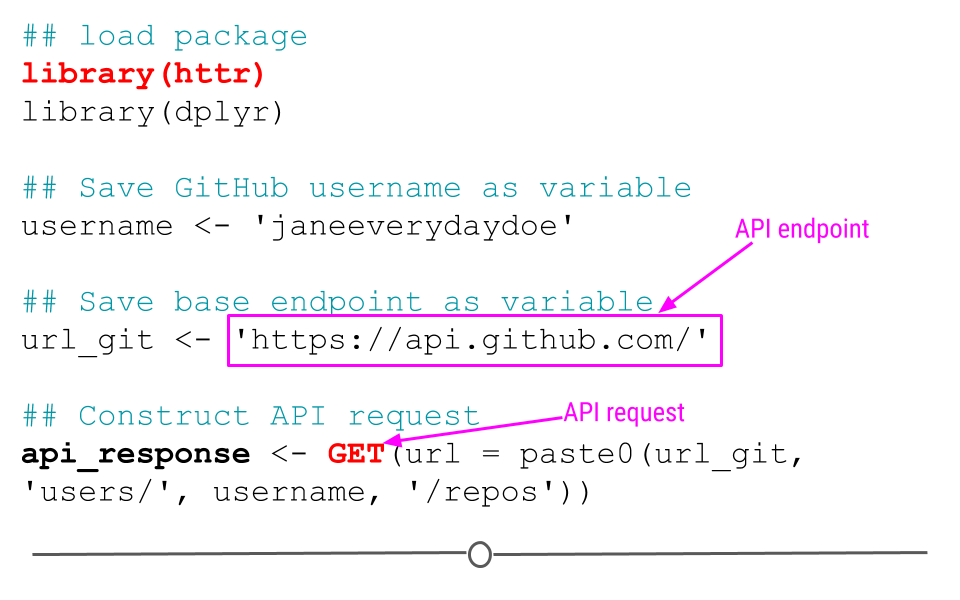
The URL you’re requesting information from is known as the API endpoint. The documentation from GitHub’s API explains what information can be obtained from their API endpoint:
https://api.github.com. That’s the base endpoint, but if you wanted to access a particular individual’s GitHub repositories, you would want to modify this base endpoint to: https://api.github.com/users/username/repos, where you would replace username with your GitHub username.
Subsubsection 2.12.2.2 API request: GET()
Now that we know what our API endpoint is, we’re ready to make our API request using
GET().
The goal of this request is to obtain information about what repositories are available in your GitHub account. To use the example below, you’ll want to change the username
janeeverydaydoe to your GitHub username.
## load package
library(httr)
library(dplyr)

## Save GitHub username as variable
username <- 'janeeverydaydoe'

## Save base endpoint as variable
url_git <- 'https://api.github.com/'

## Construct API request
api_response <- GET(url = paste0(url_git, 'users/', username, '/repos'))
Note: In the code above, you see the function
paste0(). This function concatenates (links together) each the pieces within the parentheses, where each piece is separated by a comma. This provides GET() with the URL we want to use as our endpoints!
Subsubsection 2.12.2.3 API response: content()
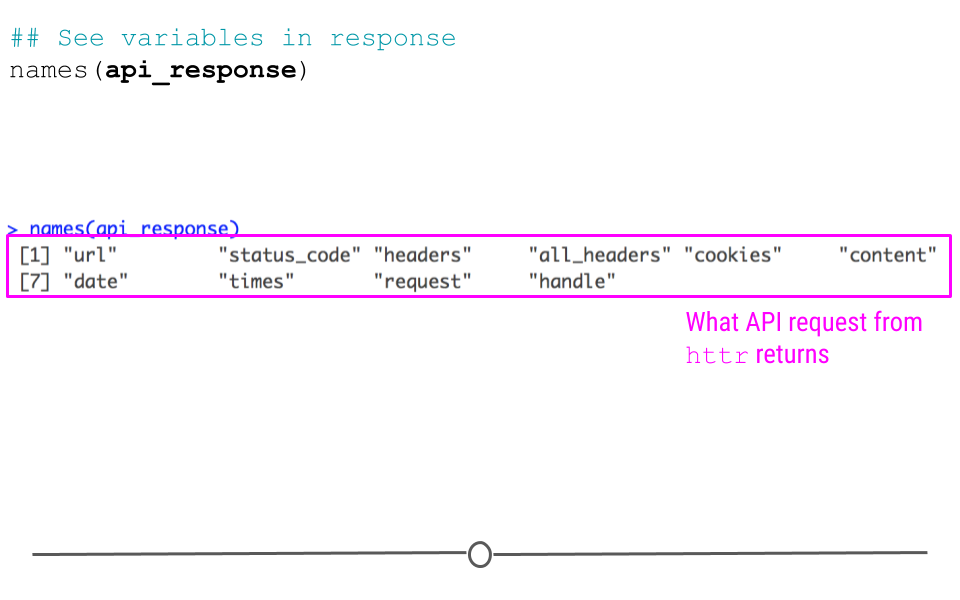
Let’s first take a look at what other variables are available within the
api_response object:
## See variables in response
names(api_response)
##  [1] "url"         "status_code" "headers"     "all_headers" "cookies"
##  [6] "content"     "date"        "times"       "request"     "handle"
While we see ten different variables within
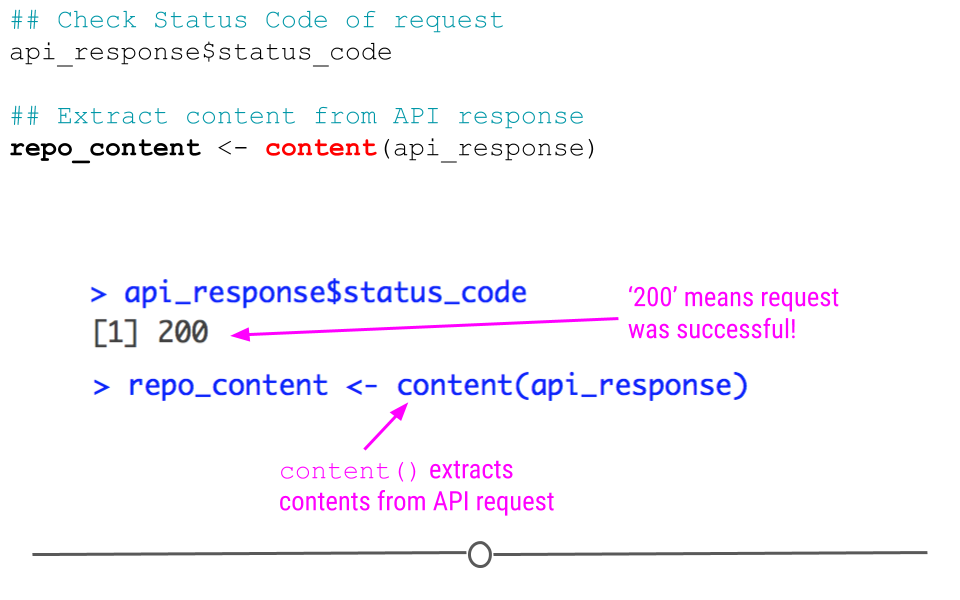
api_response, we should probably first make sure that the request to GitHub’s API was successful. We can do this by checking the status code of the request, where "200" means that everything worked properly:
## Check Status Code of request
api_response$status_code
## [1] 200
But, to be honest, we aren’t really interested in just knowing the request worked. We actually want to see what information is contained on our GitHub account.
To do so we’ll take advantage of
httr’s content() function, which as its name suggests, extracts the contents from an API request.
## Extract content from API response
repo_content <- content(api_response)
You can see here that the length of
repo_content in our case is 6 by looking at the Environment tab. This is because the GitHub account janeeverydaydoe had six repositories at the time of this API call. We can get some information about each repo by running the function below:
## function to get name and URL for each repo
lapply(repo_content, function(x) {
  df <- data_frame(repo = x$name,
                   address = x$html_url)}) %>%
  bind_rows()
## # A tibble: 8 × 2
##   repo                             address
##   <chr>                            <chr>
## 1 cbds                             https://github.com/JaneEverydayDoe/cbds
## 2 first_project                    https://github.com/JaneEverydayDoe/first_pro…
## 3 gcd                              https://github.com/JaneEverydayDoe/gcd
## 4 hello-world                      https://github.com/JaneEverydayDoe/hello-wor…
## 5 janeeverydaydoe.github.com       https://github.com/JaneEverydayDoe/janeevery…
## 6 my_first_project                 https://github.com/JaneEverydayDoe/my_first_…
## 7 newproject                       https://github.com/JaneEverydayDoe/newproject
## 8 Temporary_add_to_version_control https://github.com/JaneEverydayDoe/Temporary…
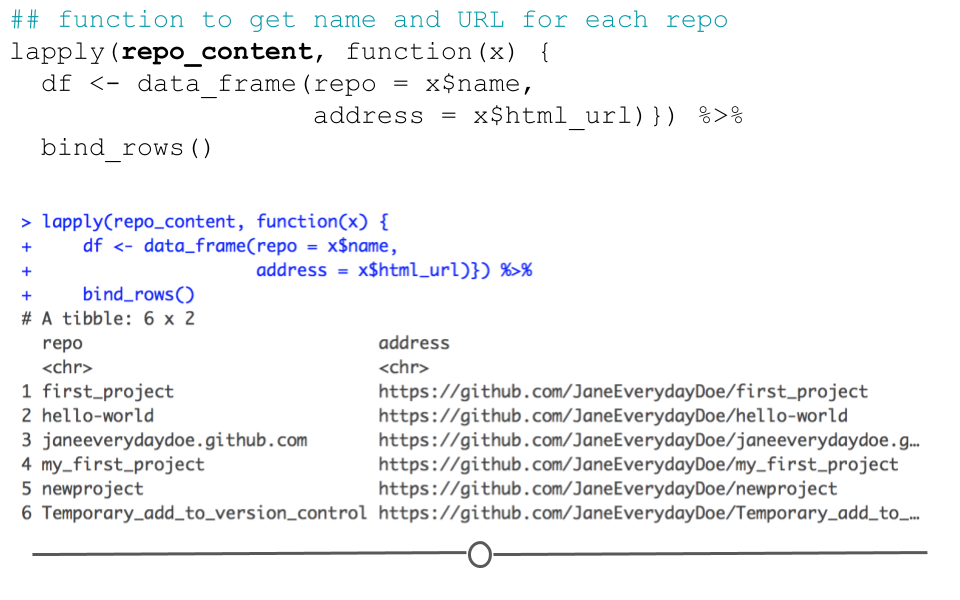
Here, we’ve pulled out the name and URL of each repository in Jane Doe’s account; however, there is a lot more information in the
repo_content object. To see how to extract more information, check out the rest of Tyler’s wonderful post here.
Subsection 2.12.3 Example 2: Obtaining a CSV
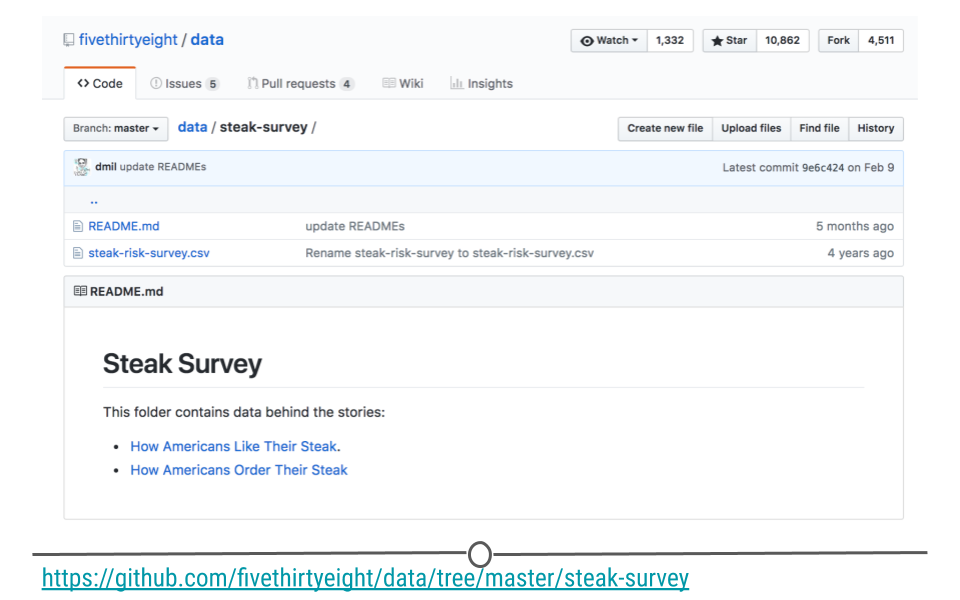
This same approach can be used to download datasets directly from the web. The data for this example are available for download from this link: data.fivethirtyeight.com, but are also hosted on GitHub here, and we will want to use the specific URL for this file:
https://raw.githubusercontent.com/fivethirtyeight/data/master/steak-survey/steak-risk-survey.csv in our GET() request.
To do so, we would do the following:
## Make API request
api_response <- GET(url = "https://raw.githubusercontent.com/fivethirtyeight/data/master/steak-survey/steak-risk-survey.csv")

## Extract content from API response
df_steak <- content(api_response, type="text/csv")
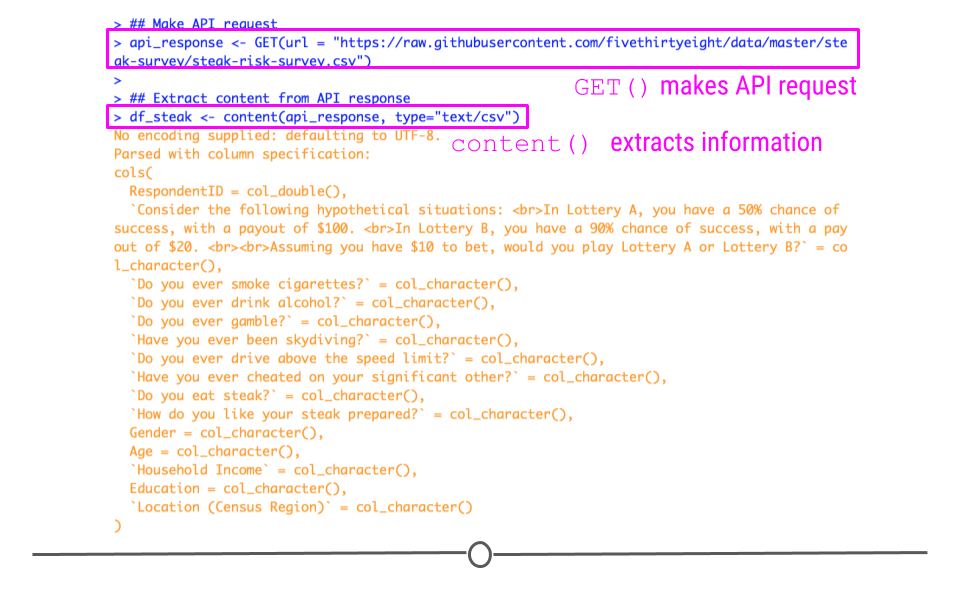
Here, we again specify our url within
GET() followed by use of the helpful content() function from httr to obtain the CSV from the api_response object. The df_steak includes the data from the CSV directly from the GitHub API, without having to download the data first!
Subsection 2.12.4 read_csv() from a URL
Before going any further, we’ll note that these data are in the CSV format and that the
read_csv() function can read CSVs directly from a URL:
#use readr to read in CSV from a URL
df <- read_csv("https://raw.githubusercontent.com/fivethirtyeight/data/master/steak-survey/steak-risk-survey.csv")
As this is a simpler approach than the previous example, you’ll want to use this approach when reading CSVs from URL. However, you won’t always have data in the CSV format, so we wanted to be sure to demonstrate how to use
httr when obtaining information from URLs using HTTP methods.
Subsection 2.12.5 API keys
Not all API’s are as "open" as GitHub’s. For example, if you ran the code for the first example above exactly as it was written (and didn’t change the GitHub username), you would have gotten information about the repos in janeeverydaydoe’s GitHub account. Because it is a fully-open API, you’re able to retrieve information about not only your GitHub account, but also other users’ public GitHub activity. This makes good sense because sharing code among public repositories is an important part of GitHub.
Alternatively, while Google also has an API (or rather, many API’s), they aren’t quite as open. This makes good sense. There is no reason why one should have access to the files on someone else’s Google Drive account. Controlling whose files one can access through Google’s API is an important privacy feature.
In these cases, what is known as a key is required to gain access to the API. API keys are obtained from the website’s API site (ie, for Google’s APIs, you would start here. Once acquired, these keys should never be shared on the Internet. There is a reason they’re required, after all. So, be sure to never push a key to GitHub or share it publicly. (If you do ever accidentally share a key on the Internet, return to the API and disable the key immediately.)
For example, to access the Twitter API, you would obtain your key and necessary tokens from Twitter’s API and replace the text in the
key, secret, token and token_secret arguments below. This would authenticate you to use Twitter’s API to acquire information about your home timeline.
myapp = oauth_app("twitter",
                   key = "yourConsumerKeyHere",
                   secret = "yourConsumerSecretHere")
sig = sign_oauth1.0(myapp,
                    token = "yourTokenHere",
                    token_secret = "yourTokenSecretHere")
homeTL = GET("https://api.twitter.com/1.1/statuses/home_timeline.json", sig)

