Section 3.6 Working With Dates and Times
In earlier lessons, you were introduced to different types of objects in R, such as characters and numeric. Then we covered how to work with factors in detail. A remaining type of variable we haven’t yet covered is how to work with dates and time in R.
As with strings and factors, there is a tidyverse package to help you work with dates more easily. The
lubridate package is not part of the core tidyverse packages, so it will have to be loaded individually. This package will make working with dates and times easier. Before working through this lesson, you’ll want to be sure that lubridate has been installed and loaded in:
#install.packages('lubridate')
library(lubridate)
Subsection 3.6.1 Dates and Times Basics
When working with dates and times in R, you can consider either dates, times, or date-times. Date-times refer to dates plus times, specifying an exact moment in time. It’s always best to work with the simplest possible object for your needs. So, if you don’t need to refer to date-times specifically, it’s best to work with dates.
Subsection 3.6.2 Creating Dates and Date-Time Objects
To get objects into dates and date-times that can be more easily worked with in R, you’ll want to get comfortable with a number of functions from the
lubridate package. Below we’ll discuss how to create date and date-time objects from (1) strings and (2) individual parts.
Subsubsection 3.6.2.1 From strings
Date information is often provided as a string. The functions within the
lubridate package can effectively handle this information. To use them to generate date objects, you can call a function using y, m, and d in the order in which the year (y), month (m), and date (d) appear in your data. The code below produces identical output for the date September 29th, 1988, despite the three distinct input formats. This uniform output makes working with dates much easier in R.
# year-month-date
ymd("1988-09-29")

#month-day-year
mdy("September 29th, 1988")

#day-month-year
dmy("29-Sep-1988")
## [1] "1988-09-29"
## [1] "1988-09-29"
## [1] "1988-09-29"
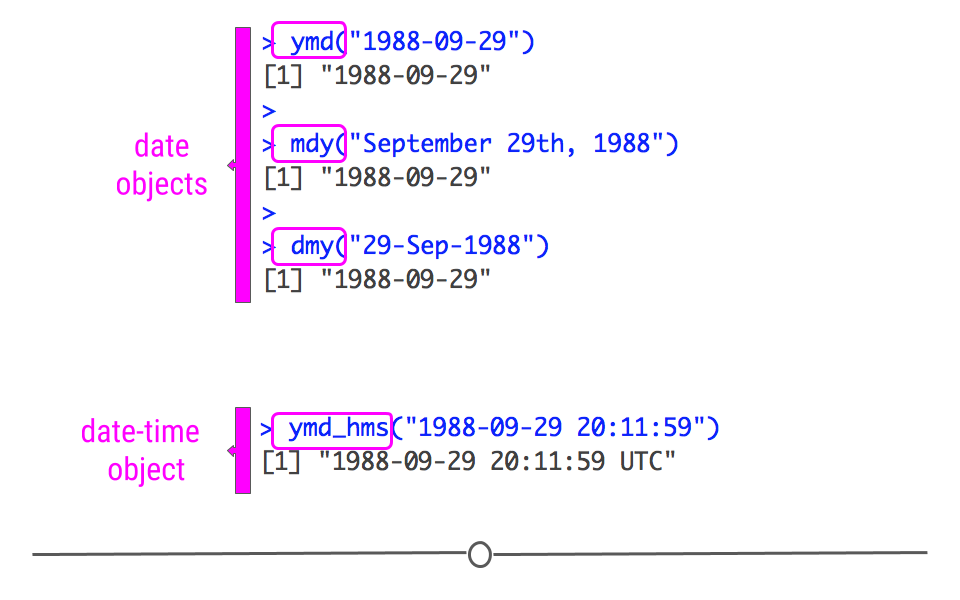
However, this has only covered working with date objects. To work with date-time objects, you have to further include hour (
h), minute(m), and second (s) into the function. For example, in the code below, you can see that the output contains time information in addition to the date information generated in the functions above:
ymd_hms("1988-09-29 20:11:59")
## [1] "1988-09-29 20:11:59 UTC"
Subsubsection 3.6.2.2 From individual parts
If you have a dataset where month, date, year, and/or time information are included in separate columns, the functions within
lubridate can take this separate information and create a date or date-time object. To work through examples using the functions make_date() and make_timedate(), we’ll use a dataset called nycflights13. As this dataset is not included with the R by default, you’ll have to install and load it in directly:
#install.packages('nycflights13')
library(nycflights13)
Loading this package makes a data frame called
flights, which includes "on-time data for all flights that departed NYC in 2013," available. We will work with this dataset to demonstrate how to create a date and date-time object from a dataset where the information is spread across multiple columns.
First, to create a new column, as we’ve done throughout the lessons in this course, we will use
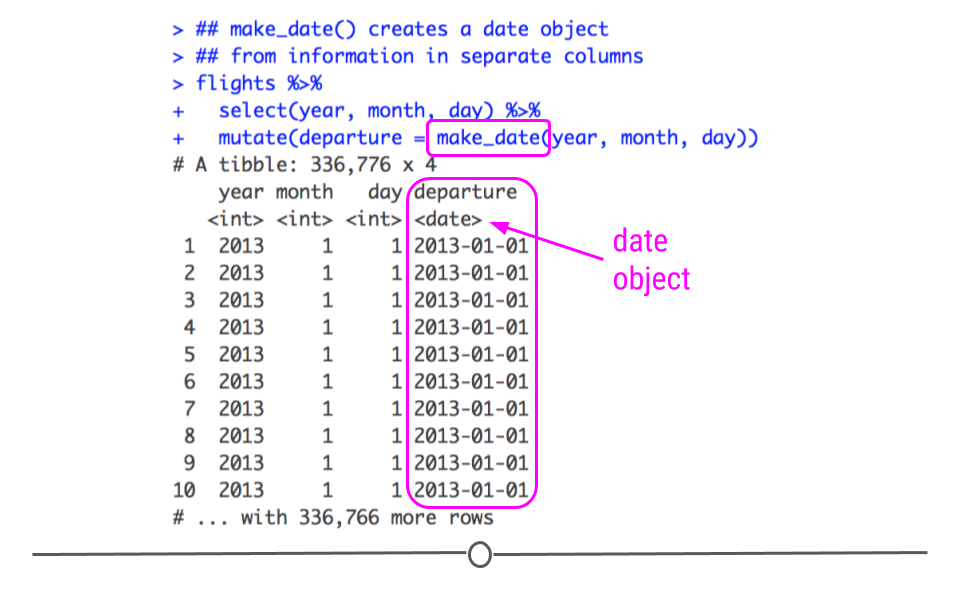
mutate(). To create a date object, we’ll use the function make_date(). We just then need to supply the names of the columns containing the year, month, and day information to this function.
## make_date() creates a date object
## from information in separate columns
flights %>%
  select(year, month, day) %>%
  mutate(departure = make_date(year, month, day))
## # A tibble: 336,776 × 4
##     year month   day departure
##    <int> <int> <int> <date>
##  1  2013     1     1 2013-01-01
##  2  2013     1     1 2013-01-01
##  3  2013     1     1 2013-01-01
##  4  2013     1     1 2013-01-01
##  5  2013     1     1 2013-01-01
##  6  2013     1     1 2013-01-01
##  7  2013     1     1 2013-01-01
##  8  2013     1     1 2013-01-01
##  9  2013     1     1 2013-01-01
## 10  2013     1     1 2013-01-01
## # … with 336,766 more rows
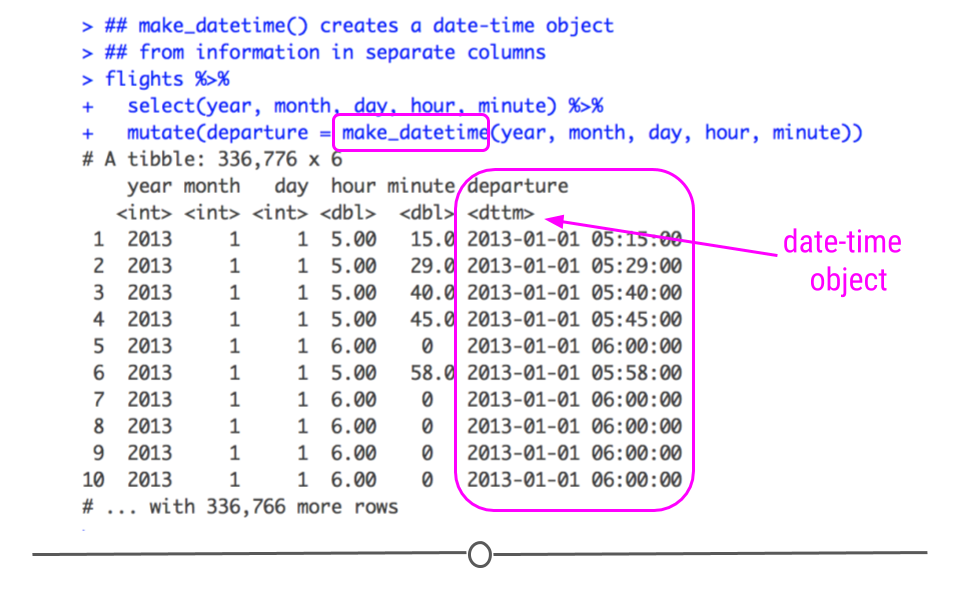
A similar procedure is used to create a date-time object; however, this requires the function
make_datetime() and requires columns with information about time be specified. Below, hour and minute are included to the function’s input.
## make_datetime() creates a date-time object
## from information in separate columns
flights %>%
  select(year, month, day, hour, minute) %>%
  mutate(departure = make_datetime(year, month, day, hour, minute))
## # A tibble: 336,776 × 6
##     year month   day  hour minute departure
##    <int> <int> <int> <dbl>  <dbl> <dttm>
##  1  2013     1     1     5     15 2013-01-01 05:15:00
##  2  2013     1     1     5     29 2013-01-01 05:29:00
##  3  2013     1     1     5     40 2013-01-01 05:40:00
##  4  2013     1     1     5     45 2013-01-01 05:45:00
##  5  2013     1     1     6      0 2013-01-01 06:00:00
##  6  2013     1     1     5     58 2013-01-01 05:58:00
##  7  2013     1     1     6      0 2013-01-01 06:00:00
##  8  2013     1     1     6      0 2013-01-01 06:00:00
##  9  2013     1     1     6      0 2013-01-01 06:00:00
## 10  2013     1     1     6      0 2013-01-01 06:00:00
## # … with 336,766 more rows
Subsection 3.6.3 Working with Dates
The reason we’ve dedicated an entire lesson to working with dates and have shown you how to create date and date-time objects in this lesson is because you often want to plot data over time or calculate how long something has taken. Being able to accomplish these tasks is an important job for a data scientist. So, now that you know how to create date and date-time objects, we’ll work through a few examples of how to work with these objects.
Subsubsection 3.6.3.1 Getting components of dates
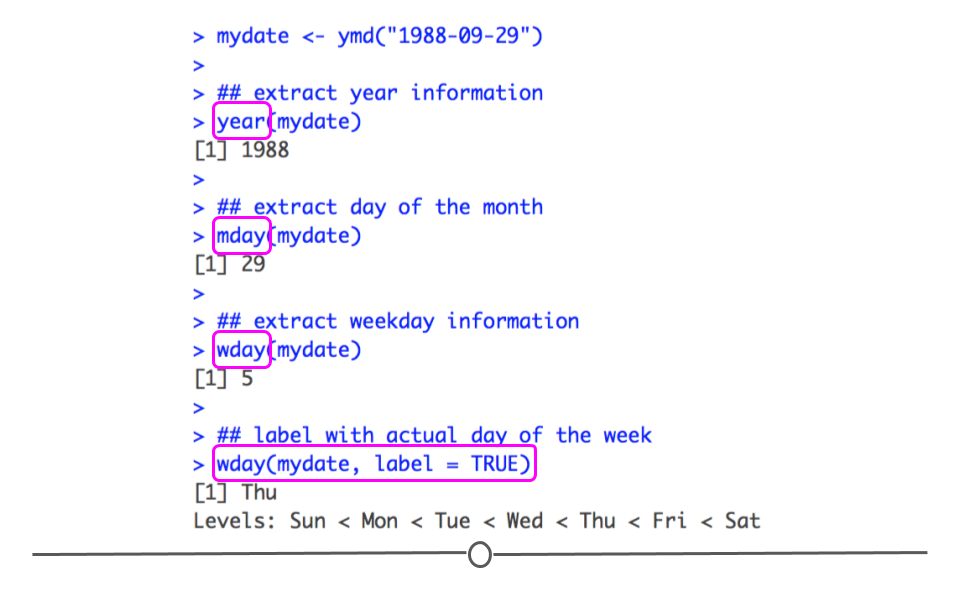
Often you’re most interested in grouping your data by year, or just looking at monthly or weekly trends. To accomplish this, you have to be able to extract just a component of your date object. You can do this with the functions:
year(), month(), mday(),wday(), hour(), minute() and second(). Each will extract the specified piece of information from the date or date-time object.
mydate <- ymd("1988-09-29")

## extract year information
year(mydate)

## extract day of the month
mday(mydate)

## extract weekday information
wday(mydate)

## label with actual day of the week
wday(mydate, label = TRUE)
Subsection 3.6.4 Time Spans
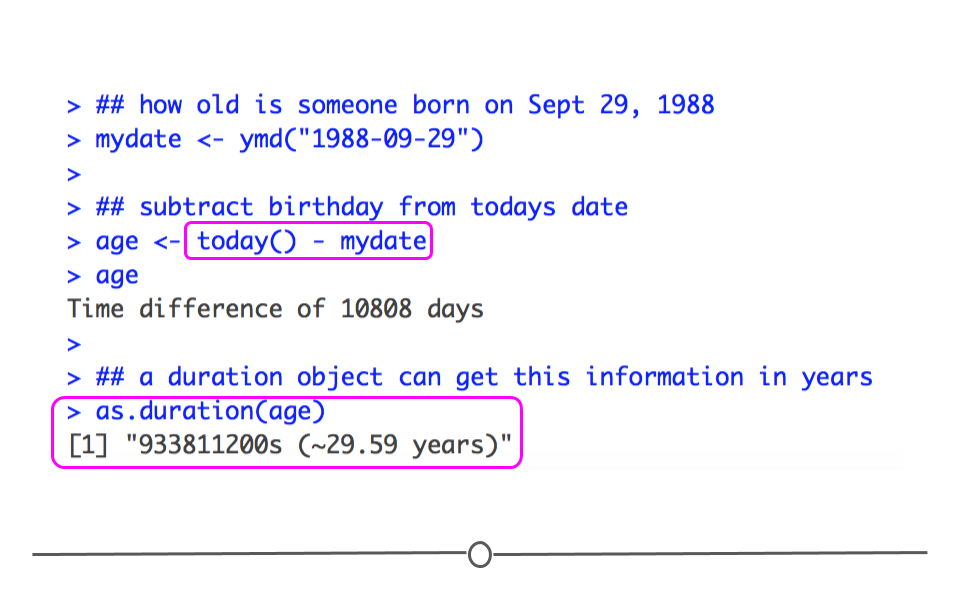
In addition to being able to look at trends by month or year, which requires being able to extract that component from a date or date-time object, it’s also important to be able to operate over dates. If I give you a date of birth and ask you how old that person is today, you’ll want to be able to calculate that. This is possible when working with date objects. By subtracting this birth date from today’s date, you’ll learn now many days old this person is. By specifying this object using
as.duration(), you’ll be able to extract how old this person is in years.
## how old is someone born on Sept 29, 1988
mydate <- ymd("1988-09-29")

## subtract birthday from todays date
age <- today() - mydate
age

## a duration object can get this information in years
as.duration(age)
## Time difference of 12026 days
## [1] "1039046400s (~32.93 years)"
Using addition, subtraction, multiplication, and division is possible with date objects, and accurately takes into account things like leap years and different number of days each month. This capability and the additional functions that exist within
lubridate can be enormously helpful when working with dates and date-time objects.

