Section 2.8 JSON
All of the file formats we’ve discussed so far (tibbles, CSVs, Excel Spreadsheets, and Google Sheets) are various ways to store what is known as tabular data, data where information is stored in rows and columns. To review, when data are stored in a tidy format, variables are stored in columns and each observation is stored in a different row. The values for each observation is stored in its respective cell. These rules for tabular data help define the structure of the file. Storing information in rows and columns, however, is not the only way to store data.
Alternatively, JSON (JavaScript Object Notation) data are nested and hierarchical. JSON is a very commonly-used text-based way to send information between a browser and a server. It is easy for humans to read and to write. JSON data adhere to certain rules in how they are structured. For simplicity, JSON format requires objects to be comprised of key-value pairs. For example, in the case of:
{"Name": "Isabela"}, "Name" would be a key, "Isabela" would be a value, and together they would be a key-value pair. Let’s take a look at how JSON data looks in R.This means that key-pairs can be organized into different levels (hierarchical) with some levels of information being stored within other levels (nested).
Using a snippet of JSON data here, we see a portion of JSON data from Yelp looking at the
attributes of a restaurant. Within attributes, there are four nested categories: Take-out, Wi-Fi, Drive-Thru, and Good For. In the hierarchy, attributes is at the top, while these four categories are within attributes. Within one of these attributes Good For, we see another level within the hierarchy. In this third level we see a number of other categories nested within Good For. This should give you a slightly better idea of how JSON data are structured.
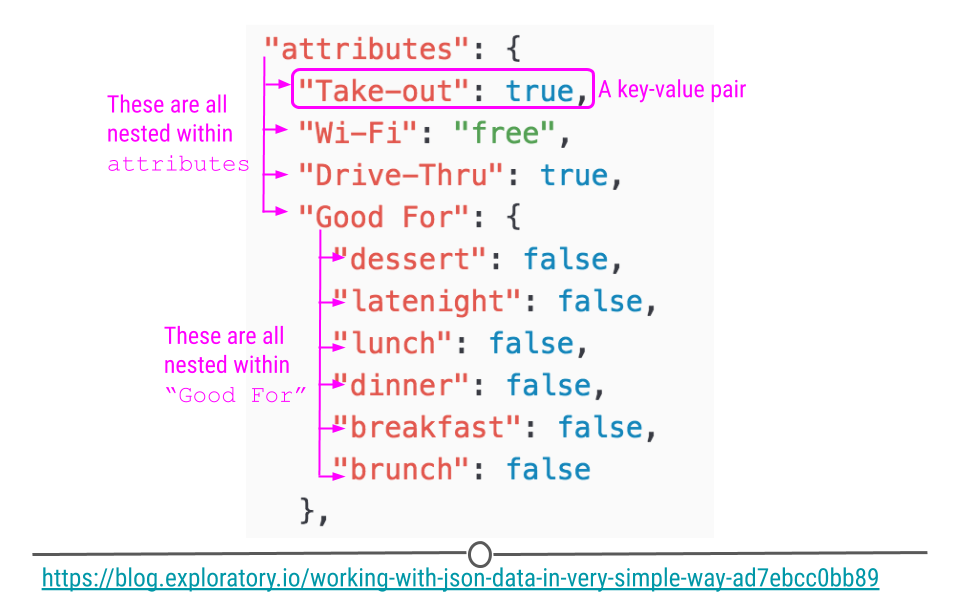
To get a sense of what JSON data look like in R, take a peak at this minimal example:
## generate a JSON object
json <-
'[
  {"Name" : "Woody", "Age" : 40, "Occupation" : "Sherriff"},
  {"Name" : "Buzz Lightyear", "Age" : 34, "Occupation" : "Space Ranger"},
  {"Name" : "Andy", "Occupation" : "Toy Owner"}
]'

## take a look
json
## [1] "[\n {\"Name\" : \"Woody\", \"Age\" : 40, \"Occupation\" : \"Sherriff\"}, \n {\"Name\" : \"Buzz Lightyear\", \"Age\" : 34, \"Occupation\" : \"Space Ranger\"},\n {\"Name\" : \"Andy\", \"Occupation\" : \"Toy Owner\"}\n]"
Here, we’ve stored information about Toy Story characters, their age, and their occupation in an object called
json.
In this format, we cannot easily work with the data within R; however, the
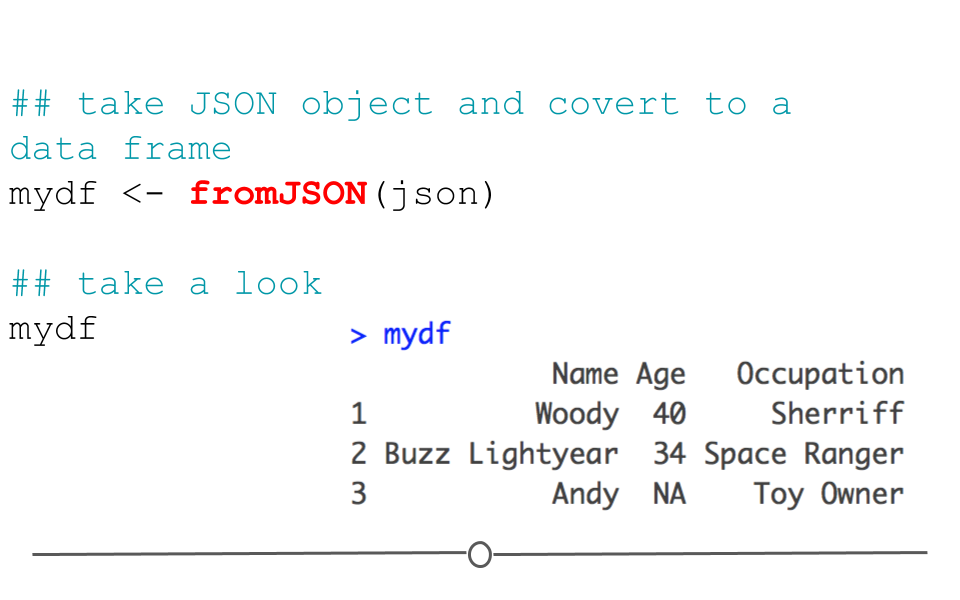
jsonlite package can help us. Using the defaults of the function fromJSON(), jsonlite will take the data from JSON array format and helpfully return a data frame.
#install.packages("jsonlite")
library(jsonlite)

## take JSON object and covert to a data frame
mydf <- fromJSON(json)

## take a look
mydf
##             Name Age   Occupation
## 1          Woody  40     Sherriff
## 2 Buzz Lightyear  34 Space Ranger
## 3           Andy  NA    Toy Owner
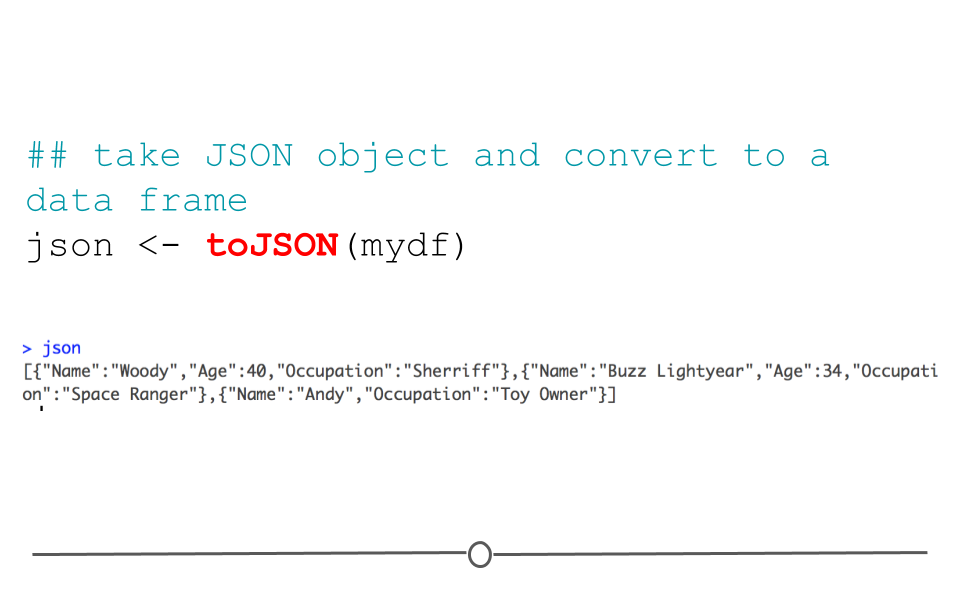
Data frames can also be returned to their original JSON format using the function:
toJSON().
## take JSON object and convert to a data frame
json <- toJSON(mydf)
json
## [{"Name":"Woody","Age":40,"Occupation":"Sherriff"},{"Name":"Buzz Lightyear","Age":34,"Occupation":"Space Ranger"},{"Name":"Andy","Occupation":"Toy Owner"}]
While this gives us an idea of how to work with JSON formatted data in R, we haven’t yet discussed how to read a JSON file into R. When you have data in the JSON format (file extension: .json), you’ll use the
read_json() function, which helpfully looks very similar to the other read_ functions we’ve discussed so far:
# read JSON file into R
read_json("json_file.json")

# read JSON file into R and
# simplifies nested lists into vectors and data frames
read_json("json_file.json", simplifyVector = TRUE)
Note in our examples here that by default,
read_json() reads the data in while retaining the JSON format. However, if you would like to simplify the information into a data.frame, you’ll want to specify the argument, simplifyVector = TRUE.

