If your instructor has provided you with a link and access to RStudio Server or Posit Cloud, you might not need to install packages, as they might be preinstalled for you by your instructor. That being said, it is still a good idea to know this process for later on when you are not using RStudio Server or Posit Cloud, but rather RStudio Desktop on your own computer.
Section 1.3 What are R packages?
Another point of confusion with many new R users is the idea of an R package. R packages extend the functionality of R by providing additional functions, data, and documentation. They are written by a worldwide community of R users and can be downloaded for free from the internet.
For example, among the many packages we will use in this book are the
ggplot2 package [14] for data visualization in Chapter 2, the dplyr package [15] for data wrangling in Chapter 3, the moderndive package [16] that accompanies this book, and the infer package [17] for “tidy” and transparent statistical inference in Chapter 8, Chapter 9, and Chapter 10.
A good analogy for R packages is they are like apps you can download onto a mobile phone like in Figure 1.3.1:
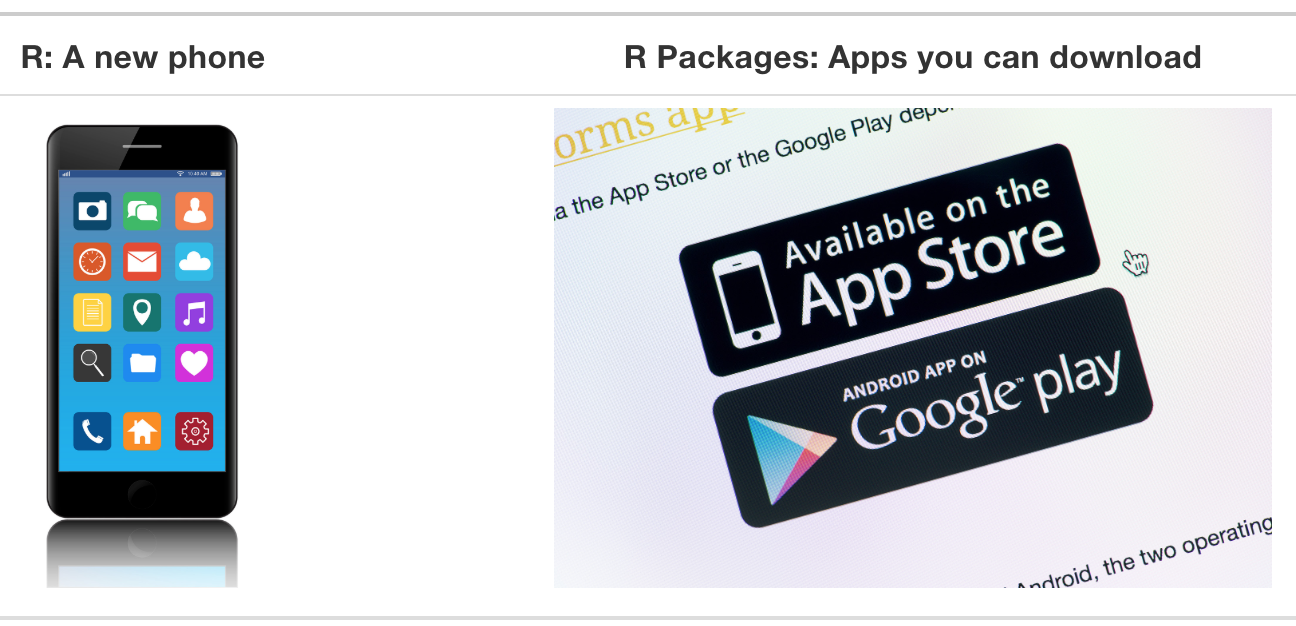
So R is like a new mobile phone: while it has a certain amount of features when you use it for the first time, it doesn’t have everything. R packages are like the apps you can download onto your phone from Apple’s App Store or Android’s Google Play.
Let’s continue this analogy by considering the Instagram app for editing and sharing pictures. Say you have purchased a new phone and you would like to share a photo you have just taken with friends on Instagram. You need to:
-
Install the app: Since your phone is new and does not include the Instagram app, you need to download the app from either the App Store or Google Play. You do this once and you’re set for the time being. You might need to do this again in the future when there is an update to the app.
-
Open the app: After you’ve installed Instagram, you need to open it.
Once Instagram is open on your phone, you can then proceed to share your photo with your friends and family. The process is very similar for using an R package. You need to:
-
Install the package: This is like installing an app on your phone. Most packages are not installed by default when you install R and RStudio. Thus if you want to use a package for the first time, you need to install it first. Once you’ve installed a package, you likely won’t install it again unless you want to update it to a newer version.
-
“Load” the package: “Loading” a package is like opening an app on your phone. Packages are not “loaded” by default when you start RStudio on your computer; you need to “load” each package you want to use every time you start RStudio.
Let’s perform these two steps for the
ggplot2 package for data visualization.
Subsection 1.3.1 Package installation
Note 1.3.2. Note about RStudio Server or Posit Cloud.
There are two ways to install an R package: an easy way and a more advanced way. Let’s install the
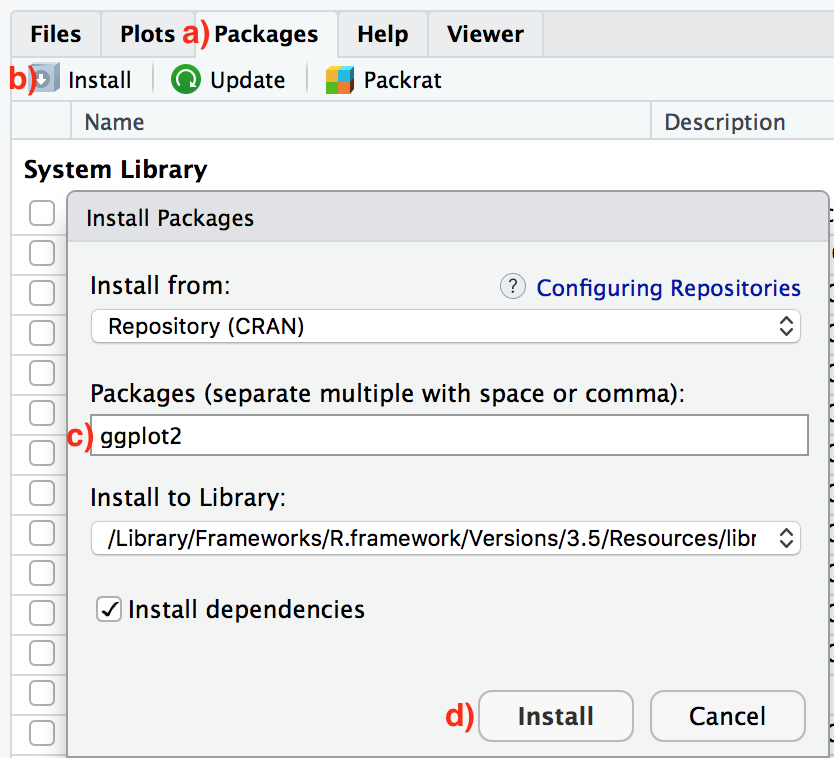
ggplot2 package the easy way first as shown in Figure 1.3.3. In the Files pane of RStudio:
-
Click on the “Packages” tab.
-
Click on “Install” next to Update.
-
Type the name of the package under “Packages (separate multiple with space or comma):” In this case, type
ggplot2. -
Click “Install.”
An alternative but slightly less convenient way to install a package is by typing
install.packages("ggplot2") in the console pane of RStudio and pressing Return/Enter on your keyboard. Note you must include the quotation marks around the name of the package.
Much like an app on your phone, you only have to install a package once. However, if you want to update a previously installed package to a newer version, you need to re-install it by repeating the earlier steps.
Checkpoint 1.3.4. Learning Check.
(LC1.1) Repeat the earlier installation steps, but for the
dplyr, nycflights23, and knitr packages. This will install the earlier mentioned dplyr package for data wrangling, the nycflights23 package containing data on all domestic flights leaving a New York City airport in 2023, and the knitr package for generating easy-to-read tables in R. We’ll use these packages in the next section.
Subsection 1.3.2 Package loading
Recall that after you’ve installed a package, you need to “load it.” In other words, you need to “open it.” We do this by using the
library() command.
For example, to load the
ggplot2 package, run the following code in the console pane. What do we mean by “run the following code”? Either type or copy-and-paste the following code into the console pane and then hit the Enter key.
library(ggplot2)
If after running the earlier code, a blinking cursor returns next to the
> “prompt” sign, it means you were successful and the ggplot2 package is now loaded and ready to use. If, however, you get a red “error message” that reads
Error in library(ggplot2) : there is no package called 'ggplot2'
… it means that you didn’t successfully install it. This is an example of an “error message” we discussed in Subsection 1.2.2. If you get this error message, go back to Subsection 1.3.1 on R package installation and make sure to install the
ggplot2 package before proceeding.
Checkpoint 1.3.5. Learning Check.
(LC1.2) “Load” the
dplyr, nycflights23, and knitr packages as well by repeating the earlier steps.
Subsection 1.3.3 Package use
One very common mistake new R users make when wanting to use particular packages is they forget to “load” them first by using the
library() command we just saw. Remember: you have to load each package you want to use every time you start RStudio. If you don’t first “load” a package, but attempt to use one of its features, you’ll see an error message similar to:
Error: could not find function
This is a different error message than the one you just saw on a package not having been installed yet. R is telling you that you are trying to use a function in a package that has not yet been “loaded.” R doesn’t know where to find the function you are using. Almost all new users forget to do this when starting out, and it is a little annoying to get used to doing it. However, you’ll remember with practice and after some time it will become second nature for you.

